Starflight DJ
A nonstop auto-DJ music player with character VJ visuals
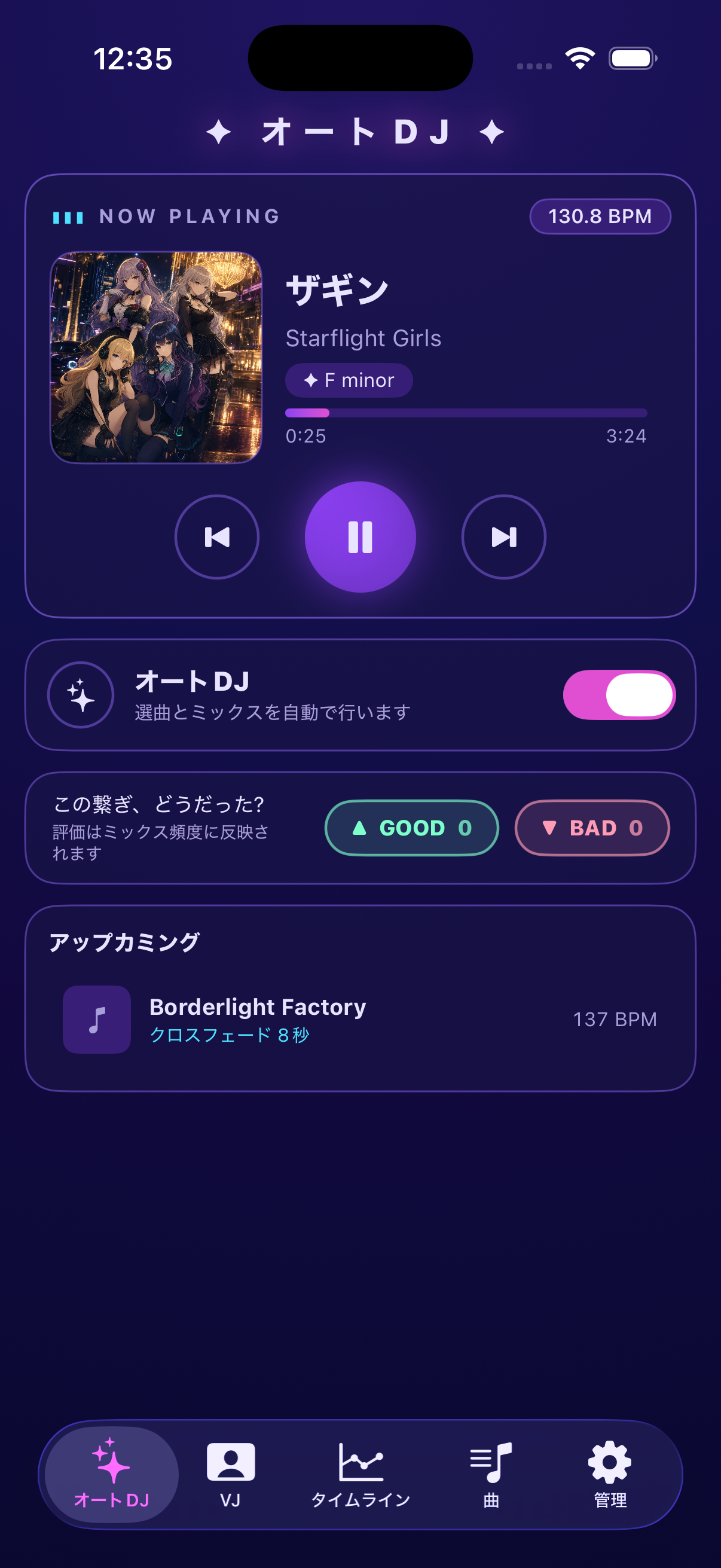
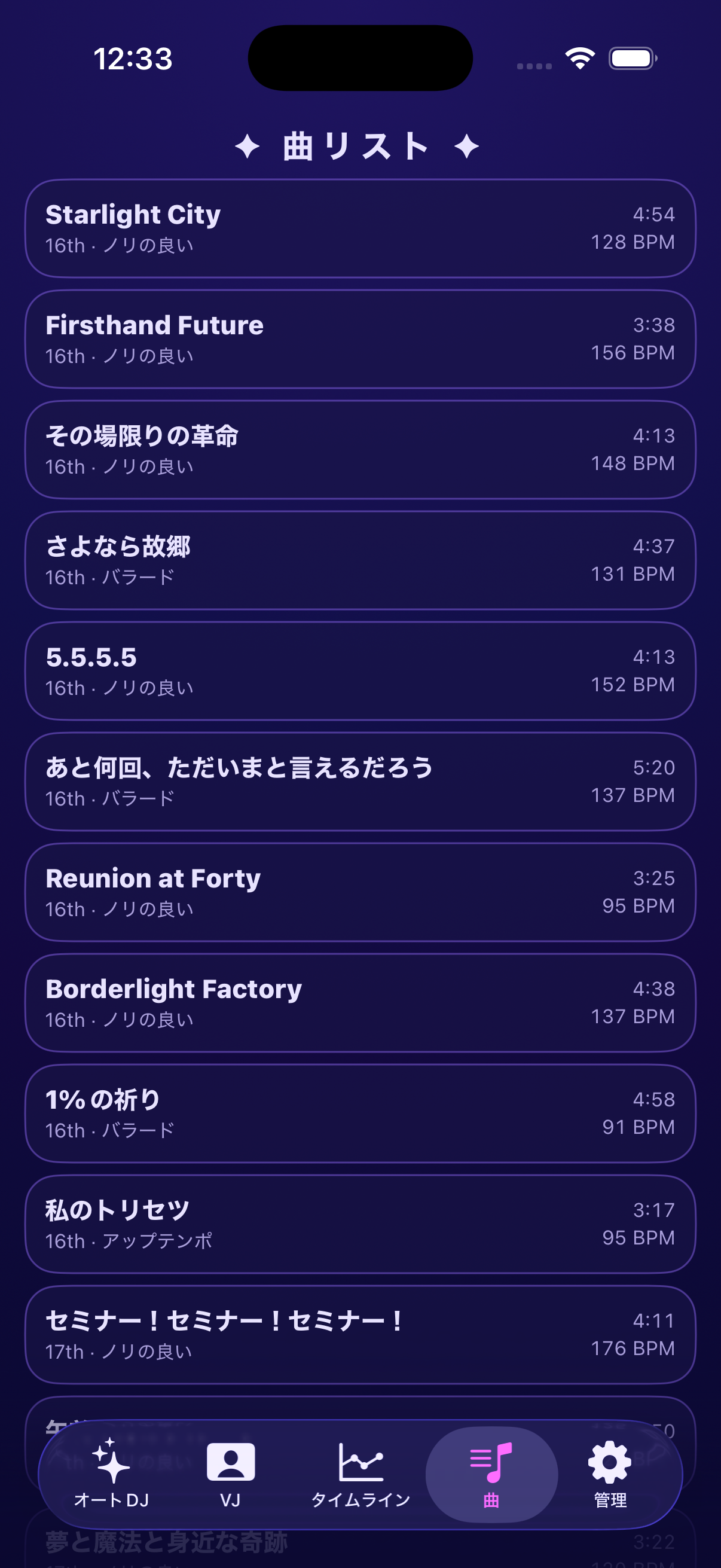
Starflight DJ is an iOS music player that keeps songs by the idol unit "Starflight Girls" flowing nonstop, mixed by an auto DJ like a club set. Thirty tracks ship with pre-analyzed BPM, beat phase, and song structure, and lip-synced character VJ visuals sing along as the music plays.
An Auto-DJ Experience That Never Stops
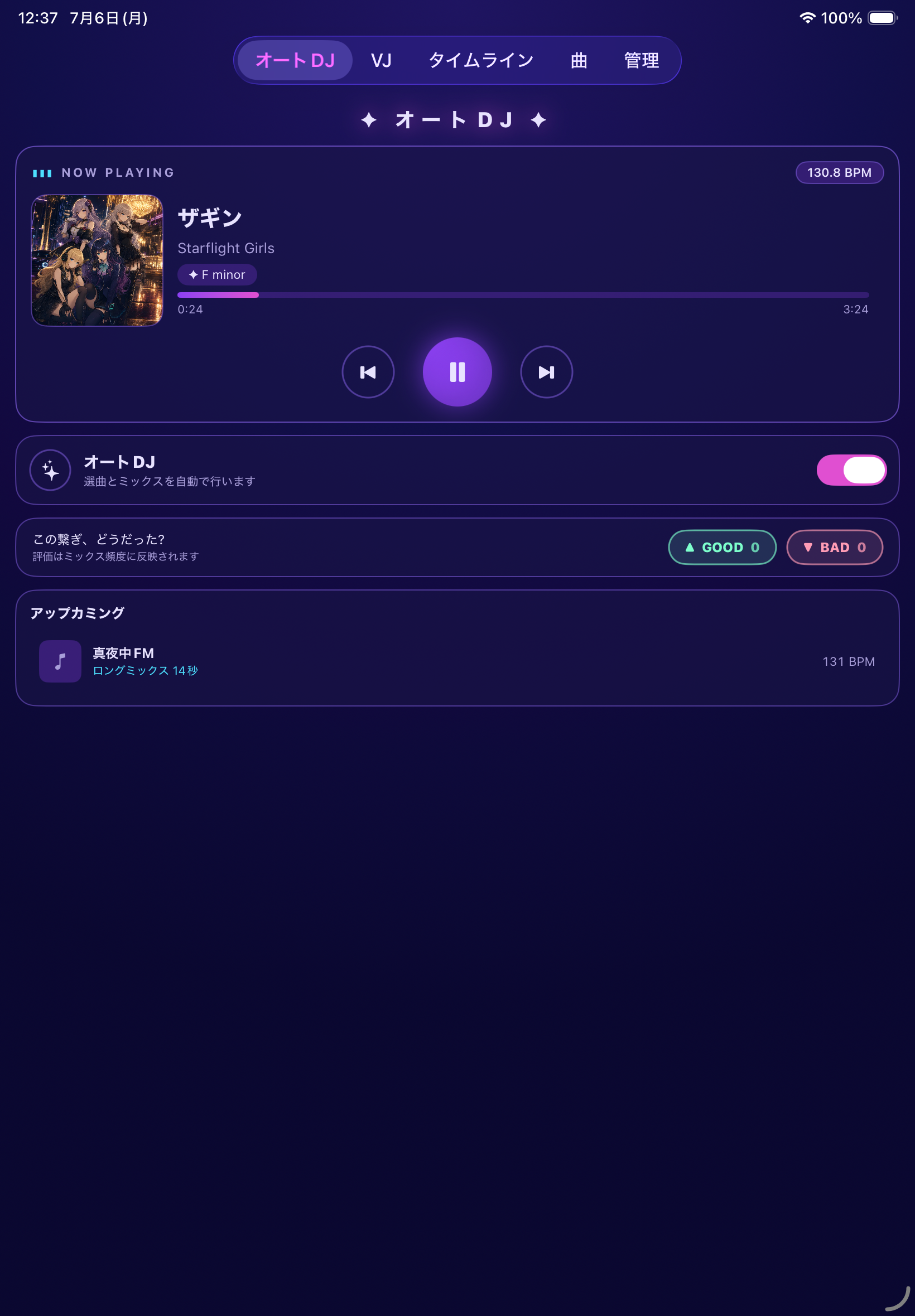
Every included track is pre-analyzed for BPM, beat phase, and structure. The auto DJ picks compatible songs and crossfades them at the best mix points with matched tempo. Core features work fully offline, with no ads and no in-app purchases.
How to Use
Start playback on the Auto DJ tab and the included tracks mix nonstop. Rate each transition with GOOD or BAD.
Open the VJ tab to watch character VJ visuals lip-sync along with the current song.
On the Timeline tab, generate a setlist from an energy curve and edit song order and mix points.
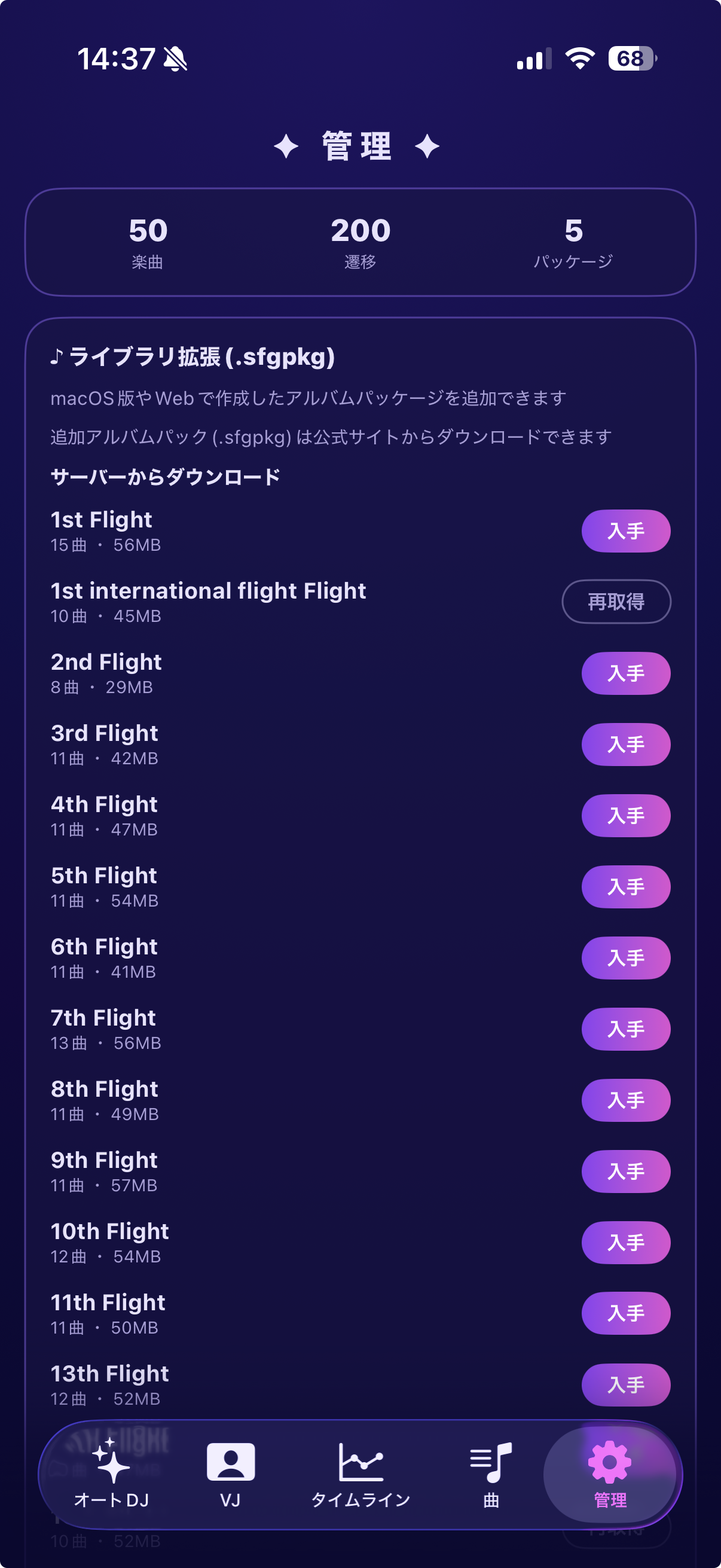
On the Manage tab, download or import add-on album packages (.sfgpkg) to expand your library.
Support
Thank you for using Starflight DJ. For bug reports, questions, or support requests, please contact us at the email address below.
- App name: Starflight DJ
- App version
- iOS version
- Device model
- Screen where the issue occurred (Auto DJ, VJ, Timeline, Songs, Manage)
- Description of the issue
- Steps to reproduce the issue
Frequently Asked Questions
Core features — playing, mixing, and VJ visuals for the included tracks — work fully offline. The app connects to the internet only when you fetch the catalog or download add-on album packages (.sfgpkg) from the Manage screen.
Album packages that add more songs to your library. Download them from the list on the Manage screen, or import .sfgpkg files obtained from the official site via the Files app. All packages are free.
No. You can start using the app as soon as you launch it.
No. The app and all add-on packages are completely free with no ads, and no purchase restore is needed.
Mix-preference learning data is stored only on your device. It is never sent to external servers.
Deleting the app removes downloaded packages, preference data, and settings from your device. They cannot be restored, though packages can be downloaded again.